Gemini Security Settings
How to stop Google from using your conversations to train their AI models.
Like other major AI platforms, Google's Gemini defaults to saving your conversations and using them to train future models. If you want to keep your queries, code snippets, and brainstorming sessions private, you need to turn this off.
Disable AI Model Training
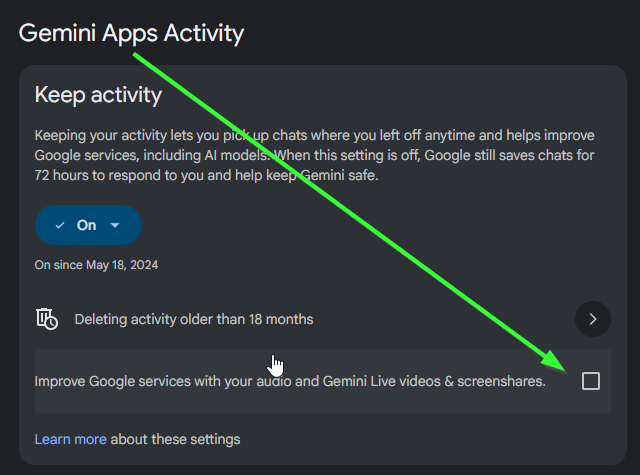
- In the Gemini web interface, click on Activity (often located in the bottom menu), or navigate directly to your Gemini Apps Activity page.
- Look for the Gemini Apps Activity setting.
- Click the dropdown or button to Turn off this activity saving and model training.